You search for a security tool, a Mac utility, an encrypted email client or some cryptocurrency software. You find a GitHub repository that looks credible: complete documentation, verification badges, a download button labelled "Download Secure Content". You download it. At that moment, a malicious program begins stealing every password saved in your browser, your cryptocurrency wallets, your Telegram and Discord sessions, and the files on your desktop that look like they might contain keys, recovery phrases or backups.
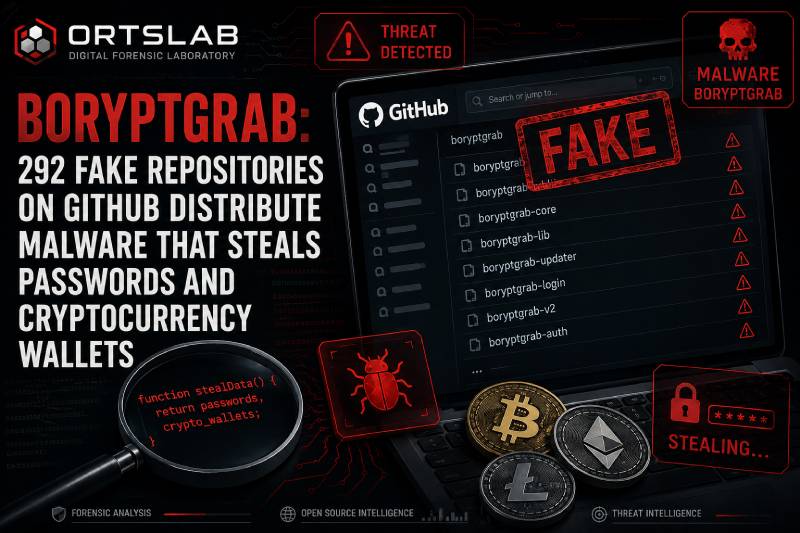
This is not a hypothetical scenario. It is exactly what has been happening since 26 June 2026, when cybersecurity firm Arctic Wolf discovered an active campaign of 292 fake GitHub repositories designed to impersonate legitimate software and distribute an infostealer called BoryptGrab.
🔍 Suspicious message?
Analyze senders, links or files in real time with our scanner.
How the impersonation works
The campaign is technically straightforward but visually convincing. The attacker creates GitHub repositories with names that mimic real projects — security tools, cryptocurrency services, developer utilities, secure email clients, gaming software. Each repository includes a README file with documentation that looks genuine and a download link.
That link leads to a landing page designed to inspire trust: the logo of the impersonated brand, fake authenticity badges, buttons labelled things like "Secure Download". The page code is a reused template across all repositories — only the brand name changes depending on the URL, generated automatically from the repository name.
The download is a ZIP file whose contents change approximately every minute to evade blocklists. Inside are two components: a legitimate, digitally signed updater (WinGUP) and a malicious library (libcurl.dll). When the user runs the installer, the legitimate updater automatically loads the malicious library — a technique known as DLL side-loading that allows the malware to execute under the appearance of a signed process.
What BoryptGrab steals
Once executed, the infostealer acts quickly and leaves no persistent trace — it does not install itself as a permanent program but instead steals everything it can in a single run and sends the data to a command-and-control server located in Russia.
The data it extracts includes passwords, cookies and payment details from 19 different web browsers, information from 32 cryptocurrency wallets, active Telegram sessions, Discord and Steam tokens, Windows credential manager data, and desktop files and documents whose names suggest they contain passwords, recovery phrases, backups or wallets.
This variant of BoryptGrab also includes a previously undocumented capability: it can bypass Chrome's App-Bound encryption through direct code injection into the browser process, giving it access to passwords and cookies even when protected by the latest browser versions.
Why GitHub is not the same as safe
GitHub is the reference platform for open source software and one of the most trusted sources for downloading technical tools. That reputation is exactly what the attackers exploit.
A repository on GitHub is not verified software. Anyone can create an account and publish a repository with any name they choose, including names that mimic real projects. The authenticity badges on the download pages are images — not verifiable accreditations. The fact that something is on GitHub does not mean it is legitimate.
At the time Arctic Wolf published their report, GitHub had removed a large portion of the malicious repositories, but several GitHub Pages redirectors remained active.
How to verify software is legitimate before downloading
The first rule is to always download from the project's official source — the manufacturer's website or the official repository referenced in the software's own documentation, not from third-party repositories that "mirror" or "distribute" it. If you cannot find the official source, do not download.
The second is to verify the repository author. A legitimate repository from a known company belongs to that company's official GitHub organisation — not to a personal account with a similar name. Check the full URL, not just the repository name.
The third is to distrust external download pages. A legitimate repository offers downloads directly from GitHub Releases — it does not redirect you to an external website with "secure download" buttons and trust badges.
The fourth is to verify the digital signature of the executable before installing. On Windows, right-click the file → Properties → Digital Signatures to check whether the executable has a valid signature from the real manufacturer.
The same old pattern in a new environment
BoryptGrab is not an extraordinarily sophisticated piece of malware. What makes this campaign extraordinarily effective is the vector: GitHub. Users who download software from GitHub have their guard down compared to an unknown website, because they associate the platform with transparency and technical community.
Identity impersonation works exactly the same here as in a phishing email or a smishing text: someone pretends to be something trustworthy to get you to run something you shouldn't. The channel changes; the mechanism doesn't.
If you receive an email or message containing a GitHub link to download a tool, analyse the message in ORTSLAB first. The engine detects fraudulent domains, phishing pages and social engineering patterns before you click on anything.