A Teams message. Someone from IT support warning that the spam filter needs updating. A download button on what looks like the official Microsoft website. And at that moment, without realising it, you have just installed malware that takes full control of your computer.
That is how Edgecution works — a campaign discovered by Zscaler ThreatLabz researchers and published on 24 June 2026. It is not a sophisticated attack targeting critical infrastructure. It is classic social engineering combined with a technically novel twist: using a malicious Microsoft Edge browser extension as the entry point for a full backdoor.
How the attack starts: a fake IT support message
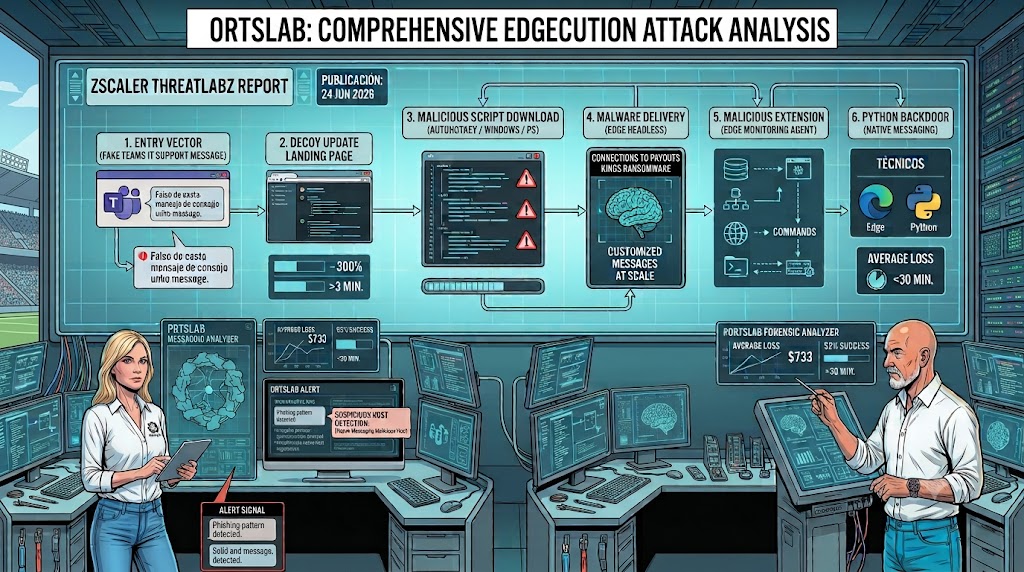
The entry vector is Microsoft Teams. The attacker impersonates internal IT support staff and sends the employee a message saying they need to install a spam filter update. The message looks legitimate — it comes from someone claiming to be on the IT team, uses the typical language of internal communications, and the link leads to a page imitating Microsoft's Outlook Updates Management Console.
That page offers three different download buttons — an AutoHotKey script, a Windows batch script and a PowerShell script — which appear to install the update package. In reality, all three do the same thing: prepare the environment, extract a ZIP file with malformed headers designed to evade antivirus detection, and create a scheduled task that launches Microsoft Edge in hidden mode.
The extension you never see
When Edge starts in the background — no visible window, no taskbar icon — it automatically loads the malicious extension, disguised as "Edge Monitoring Agent". This extension connects to the attacker's command-and-control server, receives instructions and sends results back. Traffic passes through Amazon CloudFront subdomains to blend in with legitimate cloud activity.
Browser extensions are normally confined within the browser sandbox — they cannot directly access the operating system. Edgecution overcomes this limitation using the Chrome Native Messaging protocol, originally designed to let legitimate extensions communicate with desktop applications such as a password manager. The malicious extension uses it to communicate with a second component: a Python-based backdoor that has full access to the system.
What the attacker can do once inside
With both components active — the extension in the browser and the backdoor on the system — the attacker can execute shell commands, PowerShell scripts and arbitrary Python code, write files to disk, enumerate running processes and exfiltrate system data. Zscaler notes that both components include commands not yet active that could be enabled in future versions.
The campaign has been linked to an initial access broker with ties to the Payouts Kings ransomware group. The goal is not a direct attack — it is selling the compromised access to other actors who will deploy the ransomware.
Why it is hard to detect
Edgecution chains several evasion techniques together. The ZIP file has malformed headers that prevent security products from recognising it as a valid archive. The extension runs inside a headless Edge browser with no visible interface. The backdoor's decryption key is stored in the Windows registry, so without it the code remains scrambled. And all command-and-control traffic passes through legitimate Amazon infrastructure.
None of these techniques is new in isolation. Combined, they form a chain designed to go unnoticed in corporate environments where Microsoft Teams, Edge and AWS services are everyday traffic.
What signals to watch for
Zscaler recommends reviewing: Edge instances launched in headless mode without user interaction, unauthorised or automatically installed Edge extensions, unexpected Python directories on the system, scheduled tasks running Edge with unusual parameters, and Native Messaging host configurations created without administrator action.
For end users, the most important warning sign is also the simplest: no legitimate IT department asks you to install software updates through a link sent via Teams, especially if that link leads to an external website. When faced with any installation request through this channel, the right response is to verify directly with the IT team through an independent channel before executing anything.
🔍 Suspicious message?
Analyze senders, links or files in real time with our scanner.
The same old pattern, with a new technique
What makes Edgecution relevant is not the technical sophistication of the backdoor — it is that the entry point is still the same one that has been working for decades: someone who appears trustworthy asks you to install something. The malicious extension, the Native Messaging protocol, the Python backdoor — all of that comes after. First, there has to be a click.
If you have received an email or a Teams message asking you to install an update, verify credentials or download a software package, you can analyze the message or the link in ORTSLAB before acting. The engine detects fraudulent domains, phishing pages and social engineering patterns in seconds.