🔍 Suspicious message?
Analyze senders, links or files in real time with our scanner.
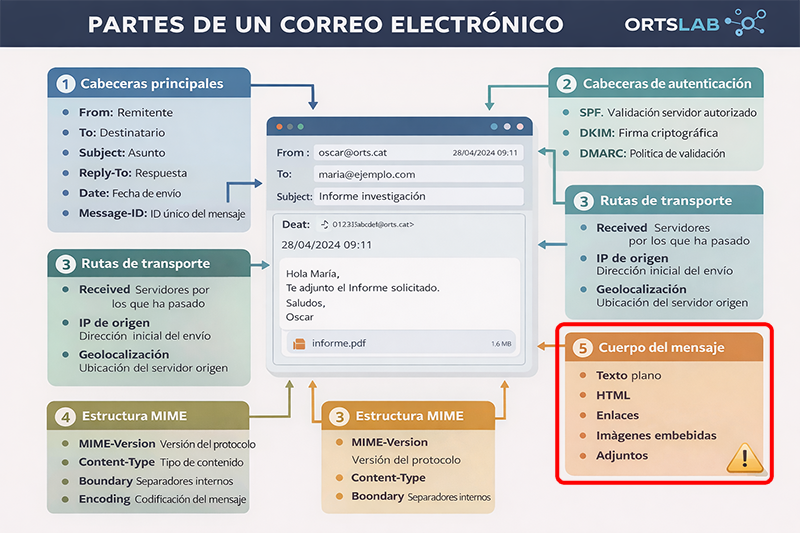
Plain Text
Plain text is the most basic version of the message. It contains no styles or hidden links, making it usually the most reliable part to analyze.- It allows you to see the content without interpretation by the browser or email client.
- It is useful for detecting real links without HTML formatting.
- Attackers often avoid it because it limits their deception techniques.
HTML
The HTML version allows for the inclusion of styles, colors, images, and links. It is the most widely used format in phishing campaigns due to its ability to hide information.- It can display a visible link that is different from the actual destination.
- It allows for embedding images that simulate buttons or forms.
- It can load external resources that reveal if the user opened the email.
Links
Links are one of the most manipulated elements in malicious emails. The visible text rarely matches the actual URL.- The real destination must be verified by hovering the cursor over the link.
- Attackers use shorteners to hide suspicious addresses.
- Similar domains or those with special characters are common in fraud.
Embedded Images
Embedded images can be used for both legitimate purposes and for tracking or visual deception techniques.- They can simulate fake buttons, forms, or interactive elements.
- External images can load from servers controlled by attackers.
- They allow for tracking email opens via invisible pixels.
Attachments
Attachments are one of the most dangerous attack vectors. They can contain malware, scripts, or manipulated documents.- The most dangerous formats are executables, macros, and compressed files.
- Attackers often use names that build trust.
- Unexpected attachments should always be treated with suspicion.