Your phone has no signal. You're on the underground, in a basement, in a dead zone. Nobody can access your data from outside. That, at least, is what most people assume. The Manic trojan was designed specifically to break that assumption.
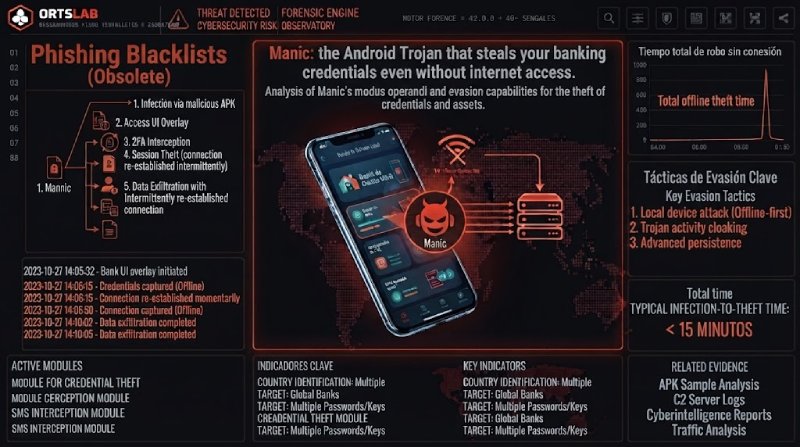
Discovered in August 2026 by cybersecurity researchers, Manic is an Android trojan that combines banking spyware, credential theft and remote device control. Its most unusual feature: it can exfiltrate stolen data even when the infected phone has no internet connection at the time.
🔍 Suspicious message?
Analyze senders, links or files in real time with our scanner.
What Manic steals and how
Manic's core mechanism abuses Android's Accessibility Services — features originally designed to help users with visual impairments that allow an application to "see" screen content, interact with it and execute actions automatically. Once the user grants that permission, the malware has full visibility over everything happening on the phone.
Manic generates an invisible keyboard overlaid on the device's real keyboard. When the user types their password to log into a banking app, Manic records every keystroke and automatically replays it on the real keyboard through Accessibility Services. The result: the banking app receives the correct credentials and the user notices nothing wrong — because the login screen they see is the legitimate one, not a fake.
The trojan doesn't just capture text indiscriminately. It automatically classifies what it intercepts: passwords, login emails, four-to-six-digit SMS verification codes, cryptocurrency wallet seed phrases and phone unlock codes. Along with the captured data, it records which app it came from, when it was entered, and whether the user typed it manually or used autofill.
Manic also intercepts the device's SMS messages and notifications, allowing it to capture two-factor authentication codes before the user enters them into the app. And through Accessibility Services, it gives the attacker remote control over the phone — concealing this activity by displaying a black screen or simulating a system update.
The countries in Manic's sights, identified by the banking apps it targets, include Austria, the Czech Republic, Estonia, France, Germany, Lithuania, the Netherlands, Poland, Russia, Slovakia, Spain, Ukraine and the United Kingdom.
The relay system: how data leaves when there's no internet
Manic's most technically significant capability is not the credential theft — that mechanism already exists in other banking trojans. It is the solution the attackers implemented for the problem of exfiltration without a connection.
Normally, malware of this type collects data on the device and sends it directly to the attackers' server. If the device has no connection, the data stays trapped until it reconnects. Manic solves this differently: when it cannot reach the command-and-control server, it scans the surrounding area for other infected phones reachable via WiFi or Bluetooth. If it finds one with an internet connection, it transfers the encrypted data to that device, which then forwards it to the attackers' server.
Data can hop through a chain of up to four infected devices. If no nearby device has a connection, Manic stores the data locally and tries again later. The infrastructure behind this campaign dates back to February 2026, with the first malware samples appearing in May.
Google has confirmed there is no trace of Manic spreading through Google Play. The most likely entry routes are apps installed from unofficial sources — APK files downloaded from third-party sites, links sent via messaging apps or email, or fraudulent download pages.
If you install an app that requests Accessibility Services
Don't do this:
- Don't grant Accessibility Services permissions to any app that isn't a genuine accessibility tool — a screen reader, voice assistant or switch control tool. A banking app, a cleaning utility, a file manager or a torch have no legitimate reason to need that permission.
- Don't install Android apps from outside Google Play — APK files sent via messaging, downloaded from third-party sites or arriving by email.
- Don't ignore antivirus alerts or operating system warnings about permissions requested by newly installed apps.
Do this:
- Check which apps have Accessibility Services active on your phone: Settings → Accessibility → Installed apps (the path varies by manufacturer). If there is anything you don't recognise or that has no obvious reason to be there, revoke its permission.
- Enable Google Play Protect app verification if you haven't already — it scans installed apps even if they didn't come from the Play Store.
- If you suspect your phone may be infected and notice unusual behaviour — screen going black on its own, unexpected system updates, battery draining faster than usual — consider restoring the device to factory settings after backing up your data in a clean environment.
Accessibility Services permission is the master key to the phone. An app with that permission can do practically everything a user sitting in front of the screen could do. Granting it to an unknown application is equivalent to handing over full control of the device.