A number that isn't in your contacts messages you. It says it's a delivery company, a bank or a job offer, and the conversation moves along calmly until a link shows up. Or someone calls pretending to be your bank and asks you to dial a code on your phone. Those are two of the scenarios Google has decided to tackle inside the operating system itself, according to its announcement of 14 October 2026 for Android and Google Messages.
It helps to separate what already exists from what arrives "in the coming weeks", "later this year" or in December, because each feature has its own timeline and device requirements. Here are the new features, with what Google says about each.
🔍 Suspicious message?
Analyze senders, links or files in real time with our scanner.
What Google Messages' Enhanced Protection reads
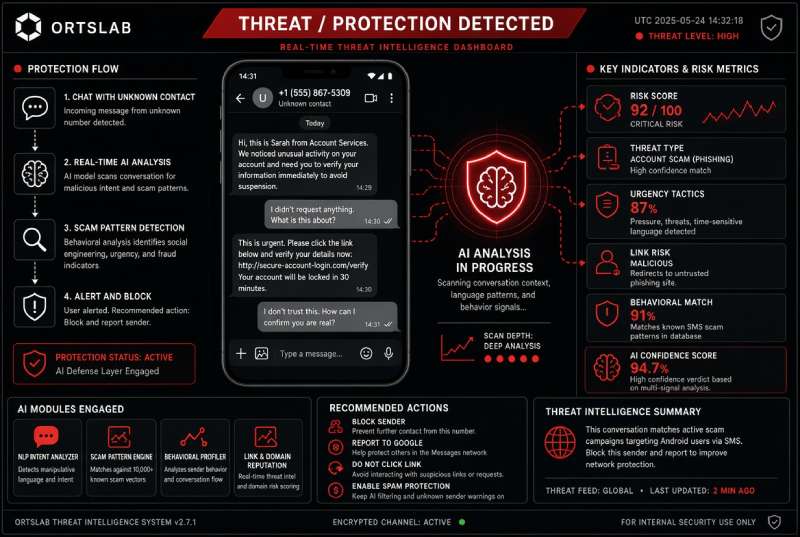
It's an optional setting the user has to turn on. When it's on, scam detection with Private AI Compute analyzes, in the cloud and with Gemini models, the context of conversations with unknown senders. Google says the data is encrypted and that no one can access it, not even Google itself. It rolls out "in the coming weeks" and, for cloud detection, requires a Pixel 6 or later, a Galaxy S24 or later, a Galaxy Z Flip/Fold6 or later, or other devices with AICore.
There is a privacy detail the user decides separately: if they report a message as spam, that message is sent to Google.
Links: an on-device check and an advance warning
There are two separate layers. The first uses Gemini Nano on the device itself to evaluate unknown links with real-time web signals, and it is only available on Pixel 10 or later, Galaxy S26, Galaxy Z Flip/Fold8 and other selected models. The second is more modest but reaches far more people: a warning before opening links sent from numbers that aren't in your contacts, available from Android 6. Until now it only worked in certain countries or with Advanced Protection turned on.
Scam alerts in the notification itself
The alerts that appear directly in the chat notification already exist on Pixel. Google wants to extend them, through manufacturers, to "hundreds of millions" more users later this year: HONOR, Infinix, iQOO, itel, JOVI, Motorola, OPPO, OnePlus, realme, TECNO, vivo and Xiaomi. Availability depends on each manufacturer.
Call forwarding: the code Android wants to stop
MMI codes are sequences that start with * or # and are dialed as if they were a phone number, but they are instructions to the carrier. Some of them turn on call forwarding, which redirects the calls you receive to another number. Android will block apps from turning on forwarding in the background and, if someone convinces the user to manually dial a forwarding code, the system will show a warning before it takes effect. According to Google, it arrives from early December 2026 on Pixel and other selected models.
Screen sharing and bank calls
During a screen-sharing session, Android will hide sign-in fields and payment screens. It already worked in native apps and is now extended to Chrome and Android WebView, from October 2026 and on Android 15 or later.
Bank call verification is the most different of all, because it depends on the bank. With official banking apps, Android checks in real time whether the bank really started the call; if it can't verify it, it hangs up and warns the user. It is live in Brazil, with Banco do Brasil and Itaú Unibanco, and, according to Google, also with Revolut. Google puts at more than 3 million the fake calls blocked since June by those two Brazilian banks alone, and notes that bank impersonation in Brazil rose 195.7% in twelve months, according to FEBRABAN.
What the announcement doesn't specify
Google's text doesn't say in which countries each feature will be available. It also offers no effectiveness figures that can be independently checked: what it gives are its own usage data, such as Scam Detection flagging more than 5 million suspicious calls and messages a month, and a YouGov survey of 4,500 people in the United States, Canada and Australia, in which 40% say they are very or extremely worried about mobile fraud. The AI features require specific models, so they won't reach every Android phone.
Don't do this:
- Don't treat a conversation or a link as safe just because your phone hasn't shown any alert. No warning doesn't mean it's legitimate.
- Don't dial codes starting with * or # because someone asks you to, even if they say they are from your bank or your carrier.
- Don't share your screen with someone who called you, not even "to help you review your account".
- Don't turn on Enhanced Protection without knowing what it involves: it analyzes the content of your conversations with unknown senders, and reporting a message as spam sends it to Google.
- Don't assume your phone will get all of these features: they depend on the model, the manufacturer and the Android version.
Do this:
- For a link from a stranger, check the domain before opening it and, if in doubt, go there yourself by typing the address or from the official app.
- If someone calls on behalf of your bank, hang up and call the number on your card or in the official app. Android can only verify the call if your bank takes part in the system.
- If you've already dialed a code you didn't understand, check the call settings of the Phone app for an active forwarding and turn it off; if you can't find it, ask your carrier to cancel it.
- If you've shared your screen or entered data while someone guided you, change your passwords from another device, tell your bank to block cards and access, and file a report.
- Mark fraudulent messages you receive as spam, knowing that in Google Messages this sends the message to Google.
Phone protections change the starting point, not the decision. A timely warning helps, but the scam keeps working because someone has to do something: open the link, dial the code, share the screen. When the system warns you, it's a clue; when it doesn't, it's not a guarantee.